Renumber Rust tests or benchmarks
Overview
renumber is a simple command-line utility that renumbers Rust tests and benchmarks.
It is particularly useful when a single test or benchmark file contains multiple functions that don’t require meaningful names, such as in test-driven development (TDD).
renumber renames these functions sequentially as _0001, _0002, _0003, and so on.
Example
Input file before renumbering
cat ./tests/test_doc.rs
Content of the input file before renumbering:
#![allow(unused)]
fn main() {
#[test]
fn _one_should_be_equal_to_one() {
  assert_eq!(1, 1);
}

#[test]
fn _one_should_not_be_equal_to_two() {
  assert_ne!(1, 2);
}

#[test]
fn _first_name_should_be_shorter_than_the_second() {
  let first_name = "John";
  let second_name = "Alexander";
  assert!(first_name.cmp(&second_name).is_gt());
}
}
Note
Test names begin with underscore, otherwise renumber will skip them.
Renumbering
renumber ./tests/test_doc.rs
Input file after renumbering
cat ./tests/test_doc.rs
Content of the input file after renumbering:
#![allow(unused)]
fn main() {
#[test]
fn _0001() {
  assert_eq!(1, 1);
}

#[test]
fn _0002() {
  assert_ne!(1, 2);
}

#[test]
fn _0003() {
  let first_name = "John";
  let second_name = "Alexander";
  assert!(first_name.cmp(&second_name).is_gt());
}
}
Hints & Tips
- renumber takes a single command-line argument, the input file to be renumbered.
- If renumbering is successful, the input file is OVERWRITTEN with the new, renumbered content.
- Only functions annotated with
#[test]or#[bench]and whose names begin with an underscore (_) are renamed.
Integration with JetBrains tools
macOS
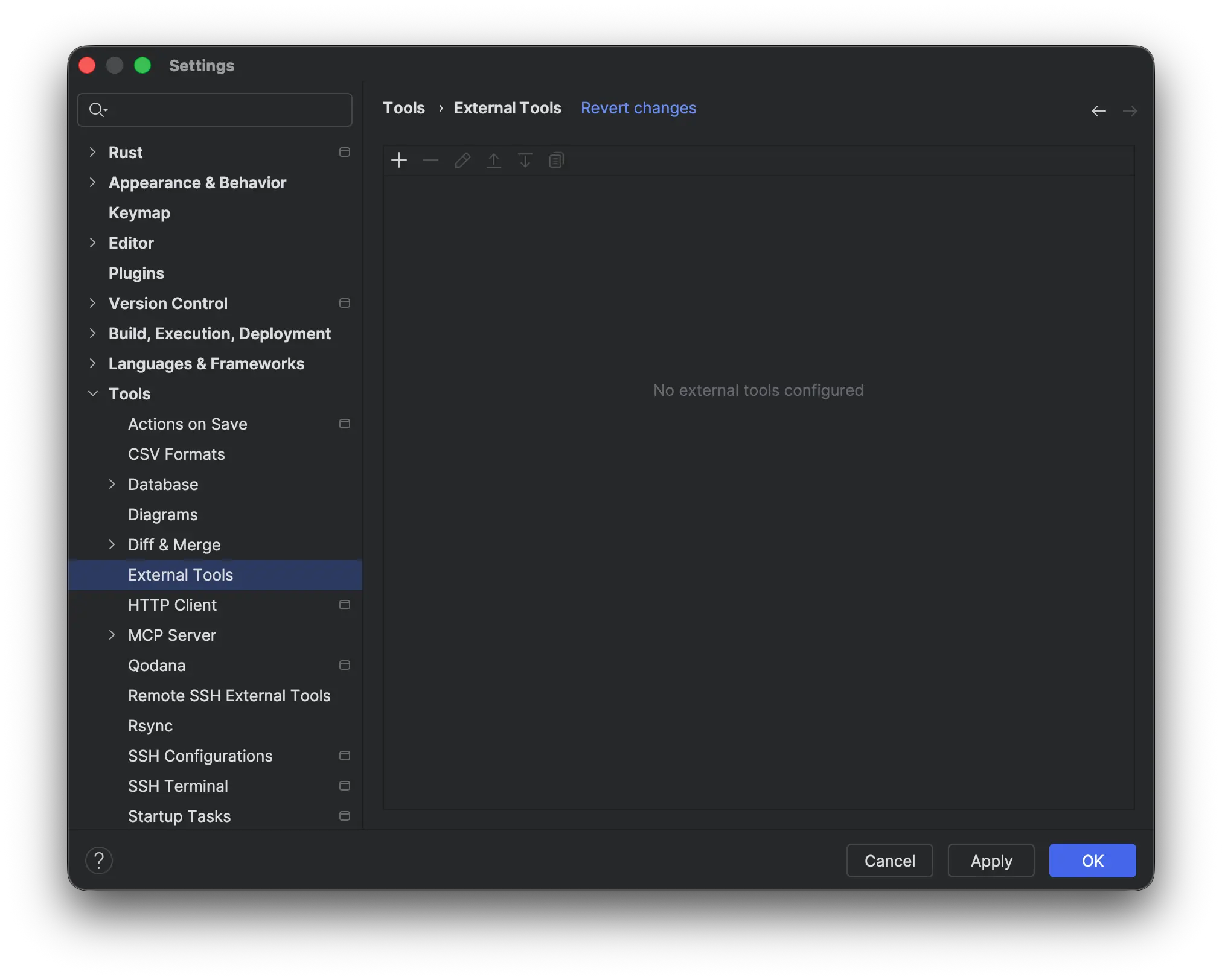
Open Settings ⇒ Tools ⇒ External Tools window:
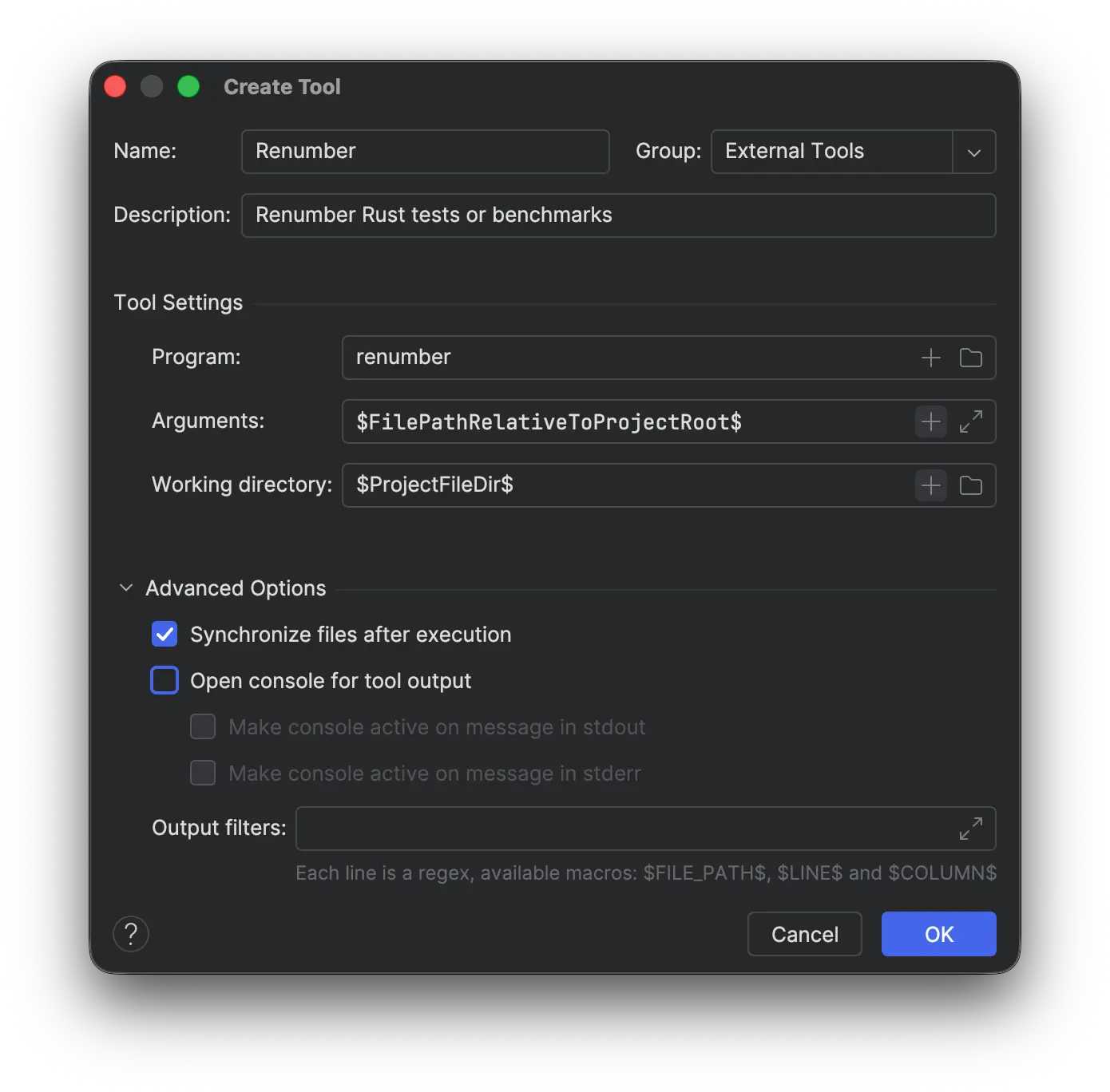
Add a new configuration for renumber external tool:
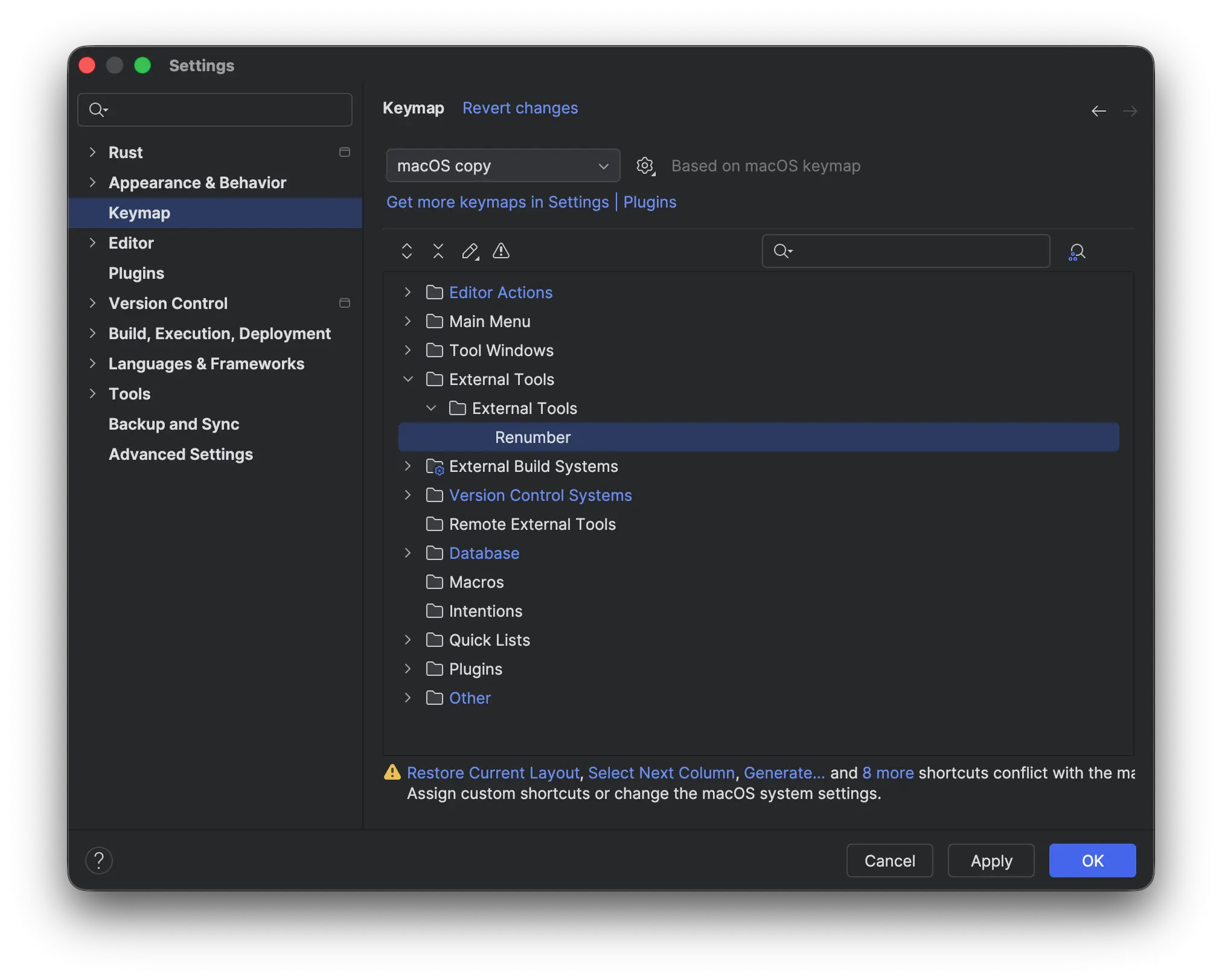
Open keymap window on renumber external tool configuration:
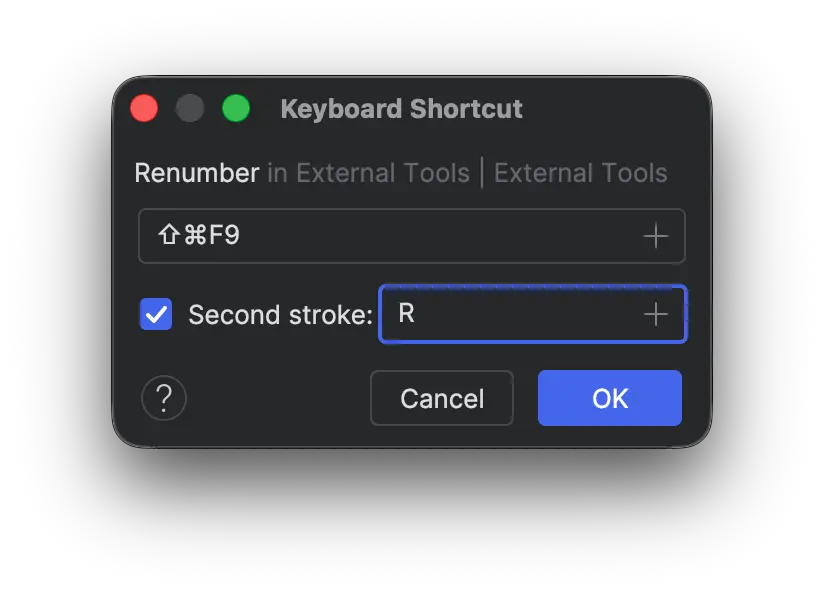
Add new keyboard shortcut: